JPMorganChase
Enhancing firmwide implementation of accessibility
BACKGROUND
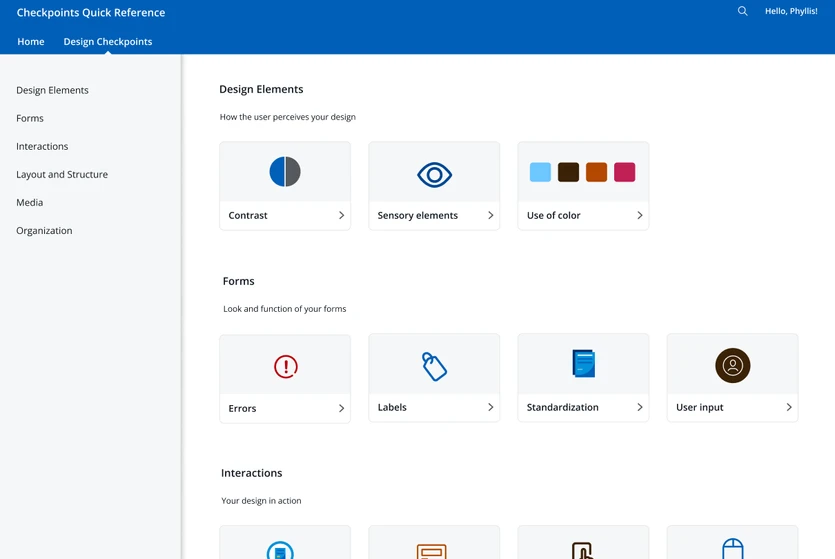
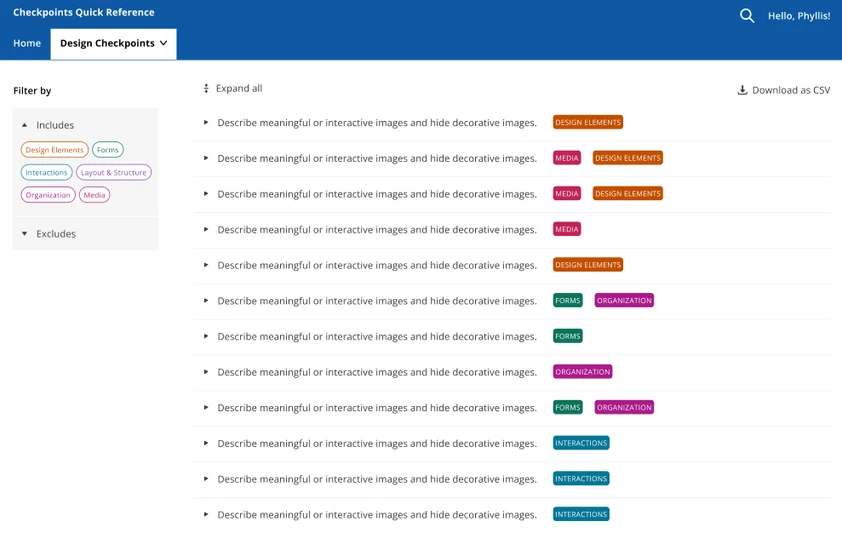
As an intern on the Accessibility team, I worked on an application called Checkpoints Quick Reference (CPQR), geared towards streamlining accessibility reviews for developers and designers at the firm. While my team is mighty, it is unable to scale to meet the demands of the entire company. This application provides a resource for designers and developers for them to be able to perform self-checks.
MY ROLE
Designers are the first line of defense when it comes to accessibility. Collaborating with those across development, UX design, content design, and UX research, I reimagined the application for design stakeholders. I spearheaded user research, design, and validation, using a Double Diamond approach. I produced two high-fidelity prototypes with two of the firm's design systems in order to provide versatile, robust solutions.
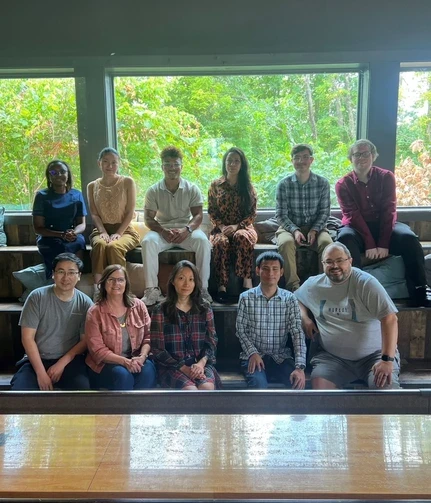
My lovely team, my fellow interns, and my recruiter!
Timeline
Summer 2024
Role
UX Designer
UX Researcher
Deliverables
High Fidelity Prototypes
Content Design
Research Insights
Pitch Deck
Tools
Figma
FigJam
ALIGN
Coming into this internship, I had very little accessibility knowledge and many misconceptions about it. But now that I’ve reached the end of the internship, I believe that the best way to encapsulate accessibility is this:
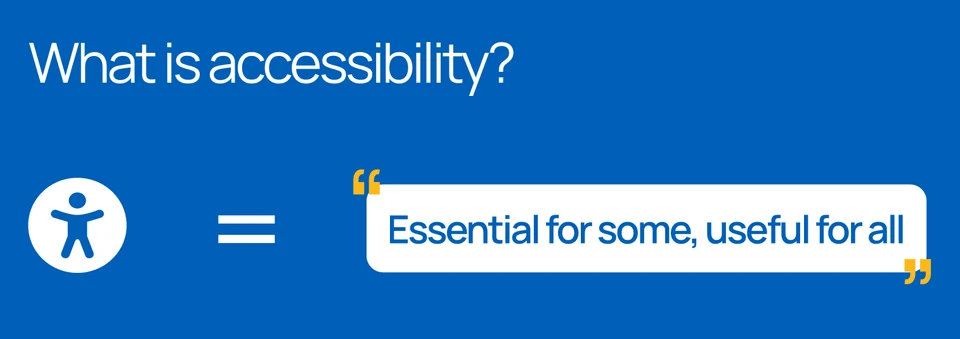
At the beginning, I shadowed my team to understand their day-to-day work and the common challenges they faced. I also conducted accessibility trainings from WCAG and UDemy. Within a couple weeks, I had gained a profound understanding of not just the motivation behind my internship project, but also why accessibility was important for everyone.
For many able-bodied people, it’s easy to think of accessibility as something extra and disconnected from our own experiences. However, that is far from true. So many usability features now considered commonplace and necessary have its roots in accessibility, both in the digital and physical world: think sidewalk ramps, the ability to zoom in and out on your mobile devices.
Without accessibility, life would truly be harder for every one of us, whether we have disabilities or not. As a result, it’s crucial that accessibility is incorporated seriously into the product development lifecycle.
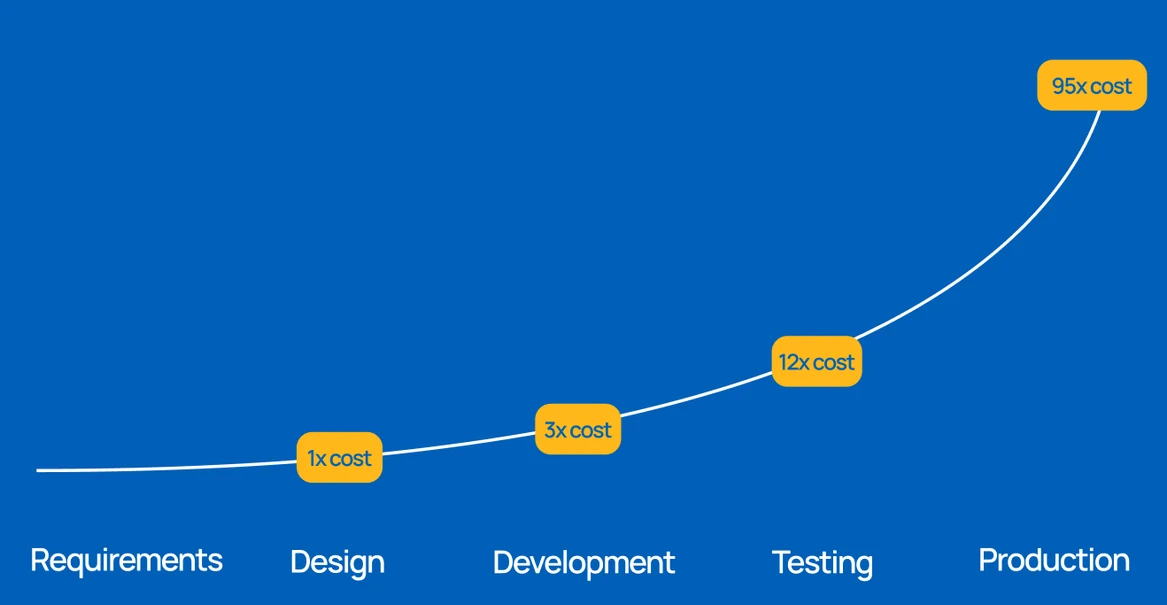
As you can see here, the cost of incorporating accessibility increases exponentially at each stage — so there’s not only a process and ethical motivation, there's also a critical financial motivation.
With that being said, I was tasked with conducting a redesign of an internal web application called Checkpoints Quick Reference (CPQR) that takes the information from the firm's accessibility knowledge base and displays it in a more digestible way for designers and developers.
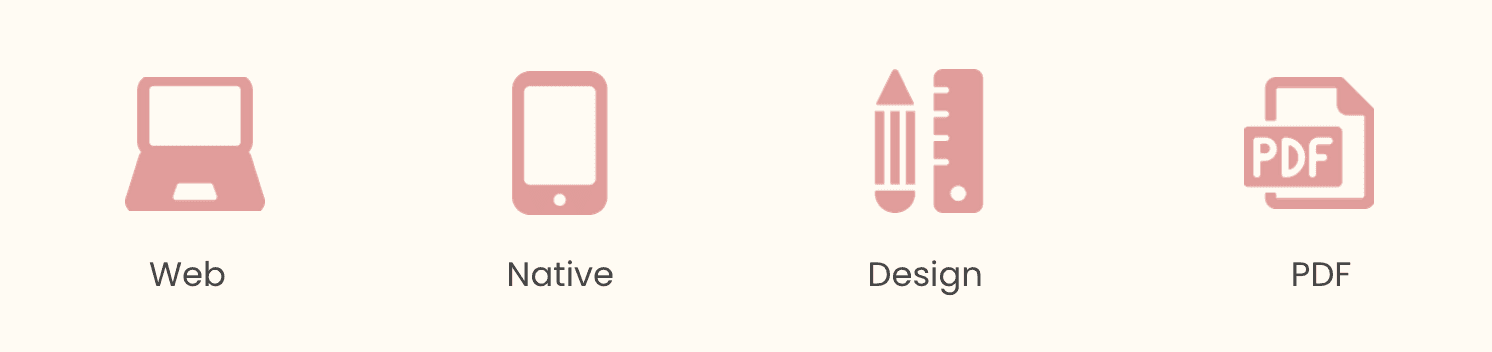
There are four main types of accessibility checkpoints: Web, Native, PDF, and Design. This summer, I focused on the Design checkpoints.
DISCOVER
I first explored the problem space and identified pain points through user research. Working with a UX researcher, I was able to create a study plan with simple, effective questions that would provide enough insights for me without leading my participants towards a particular viewpoint.
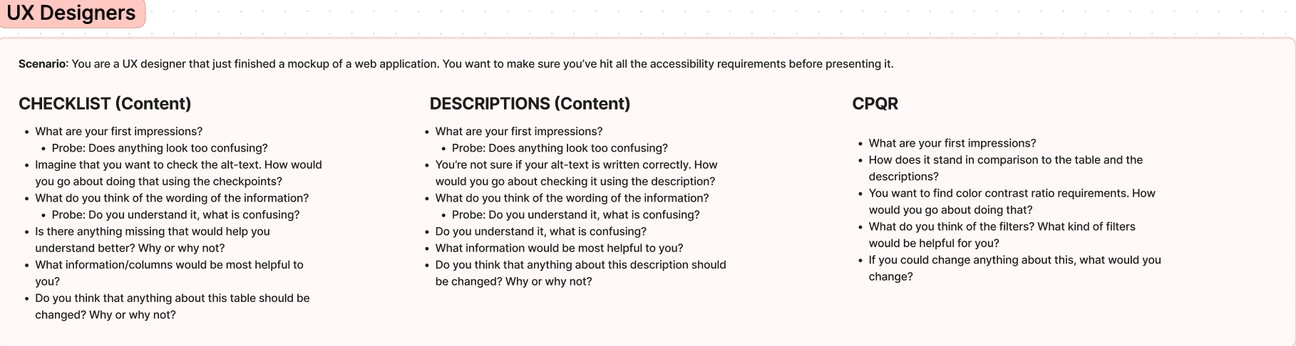
I conducted 6 exploratory, semi-structured interviews: 3 with UX designers, 3 with members of my own team. With members of my own team. I wanted to pinpoint what challenges they encountered when reviewing design work and what they wished designers would know.
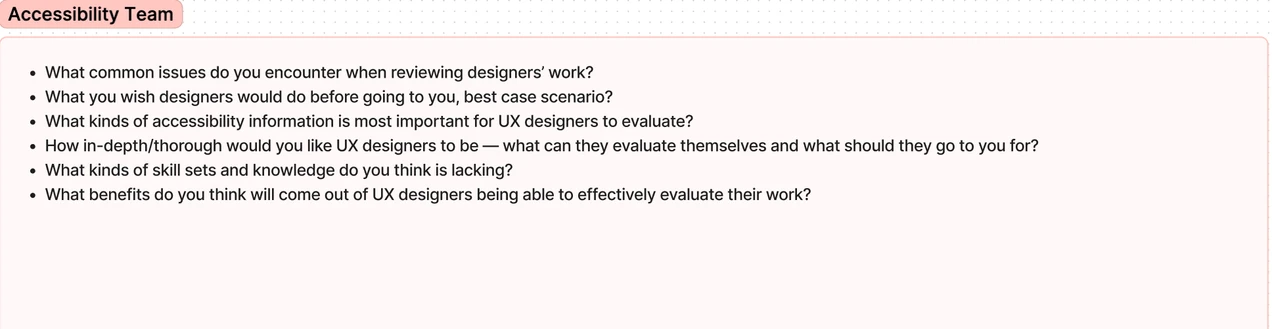
With UX designers, I walked through the current CPQR application with them to understand their immediate reactions, expectations, and user flows.
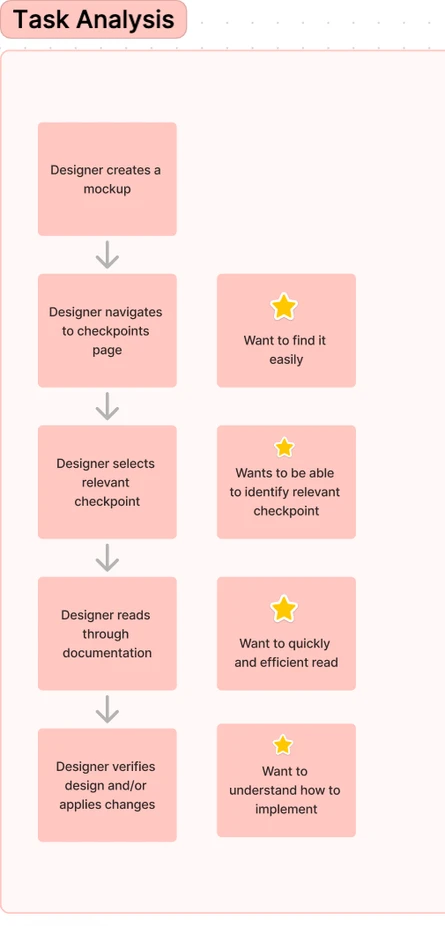
I also performed a high-level task analysis to identify intervention points and help me contextualize the designers' feedback.
Lastly, I took a look at the analytics available on the firm's accessibility knowledge base, using the data to ground my synthesis of insights.
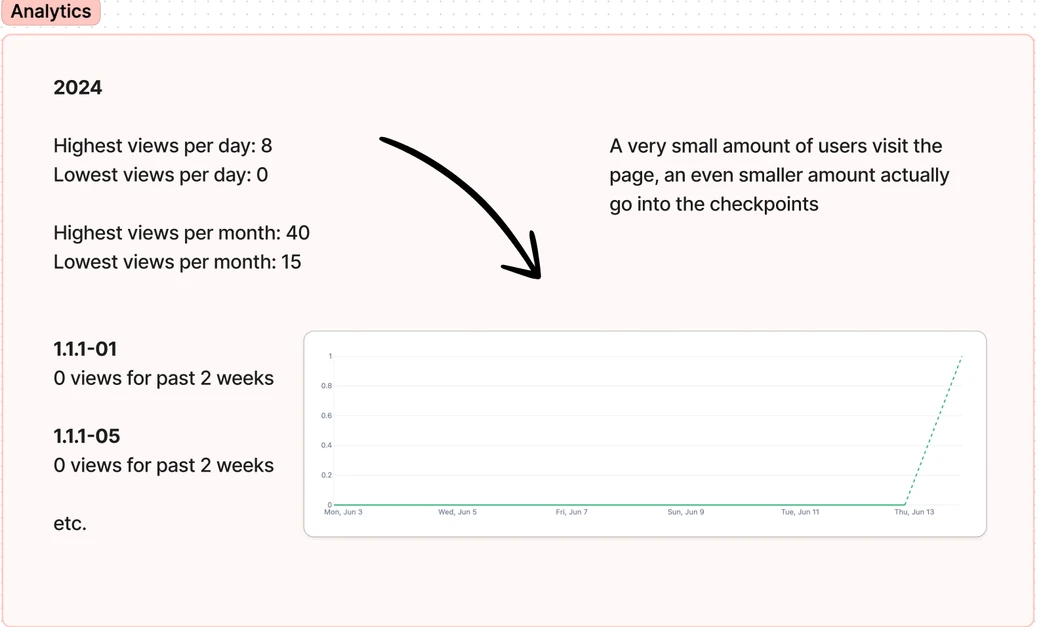
As expected, the numbers indicated that there was a concerningly low amount of visitors to the page — which was basically none. That sudden rise at the end represented my own visits to the site.
DEFINE
After my research, I simplified and categorized my notes into themes. This helped me distill all of the feedback I received, making sense of the chaos.
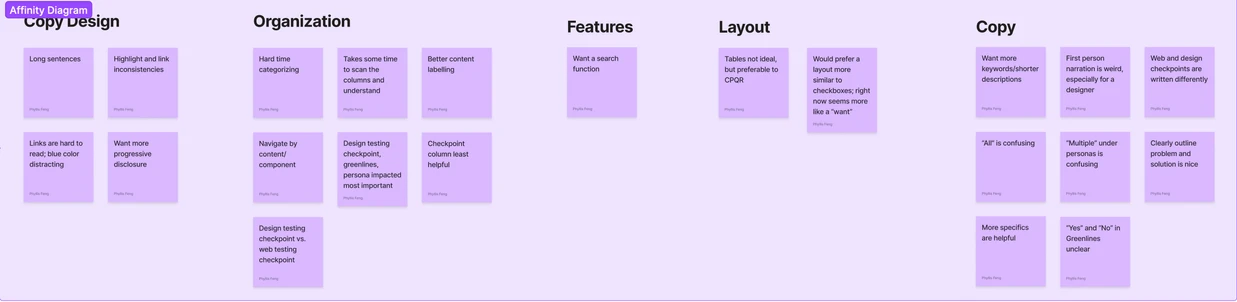
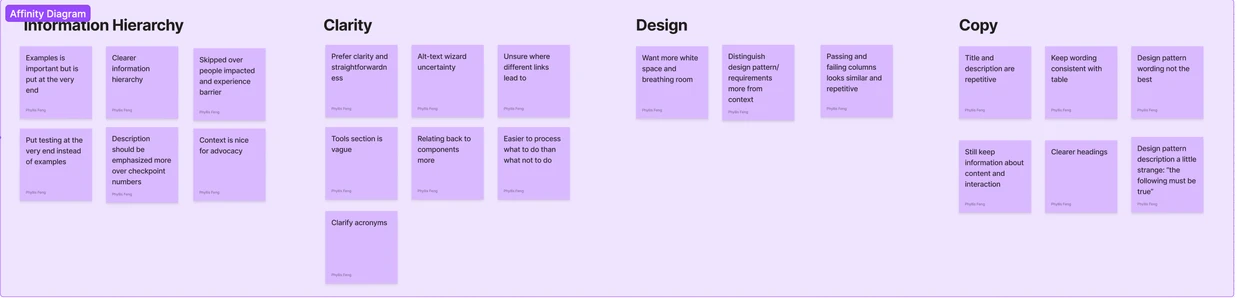

I then used these “synergies” to create concrete design goals:
Improve overall readability and consistency.
Improve clarity and organization of the information.
Create a more actionable, interactive experience.
Elevate intentionality of information hierarchy.
DESIGN
Low-Fidelity Iterations
During low-fidelity wireframing, my focus was on capturing the the overall structure and functionality of the application, untangling its information architecture and creating a modular blueprint.
A specific challenge here was in having a balanced experience of progressive disclosure. With too many steps, a user may start getting frustrated, but with too little, a user may get overwhelmed. I experimented with different flows, tweaking and ideating as I went along.
Mid-Fidelity Final Iterations
Reimagination:
Refinement:
After receiving feeback, I decided to go with two different ideas for mid-fidelity prototyping, one a "Reimagination" and one a "Refinement" of the application.
This is because I wanted to provide a suitable range of options for my team. Oftentimes, what can be developed is dependent on the resources and bandwidth of a moment in time. The best solution might not always be what's feasible, but the better one might be.
COLLABORATIONS
Along with UX research, I also interfaced with other disciplines in the product space: Content design, UX design, and software development. I aimed to ensure that my solution was not only robust and well-rounded — but that it matched the firm's vision.
Content design
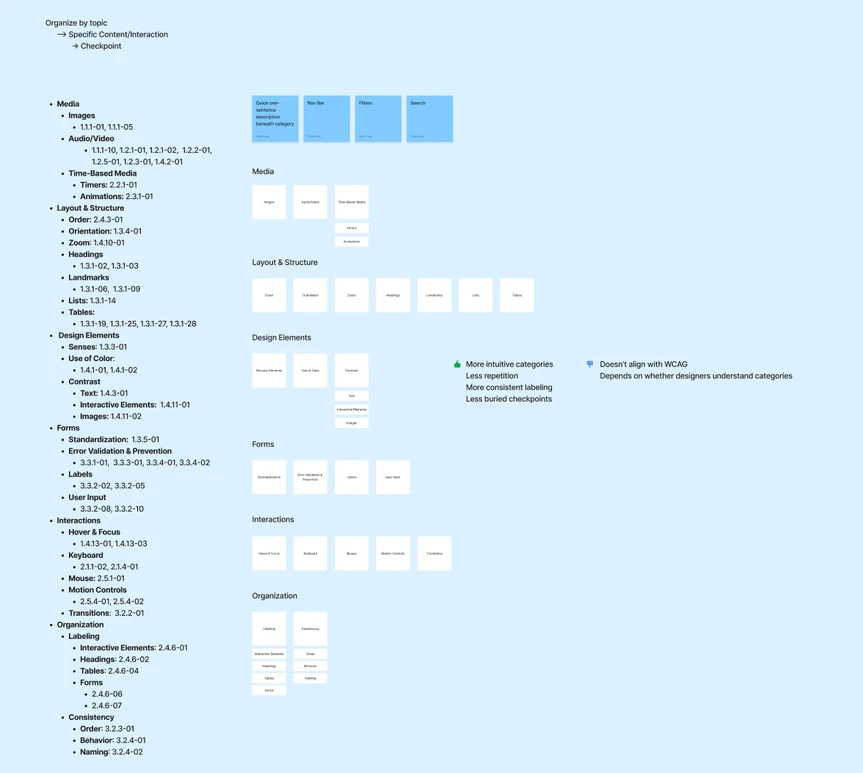
Live card sorting sessions with content designers allowed me to glean the most intuitive categorizations and labelling conventions for the information.
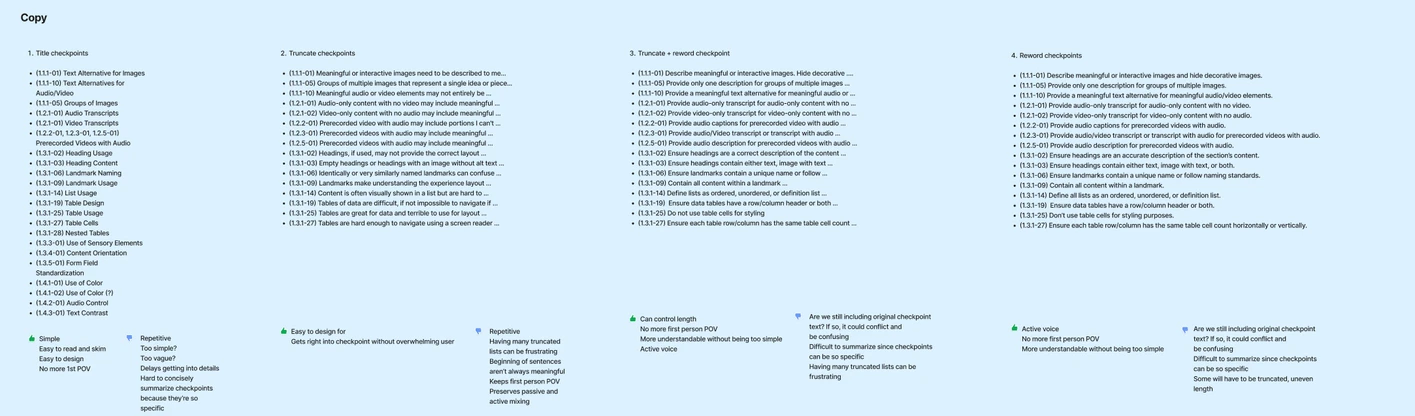
I also played around with different iterations of copy for the checkpoint titles, trying to find a sentence pattern that was both actionable to the user and simple without being too vague. I ended up going with a sentence format that started with a verb, in order to catch the user's attention, and highlighted important nouns.
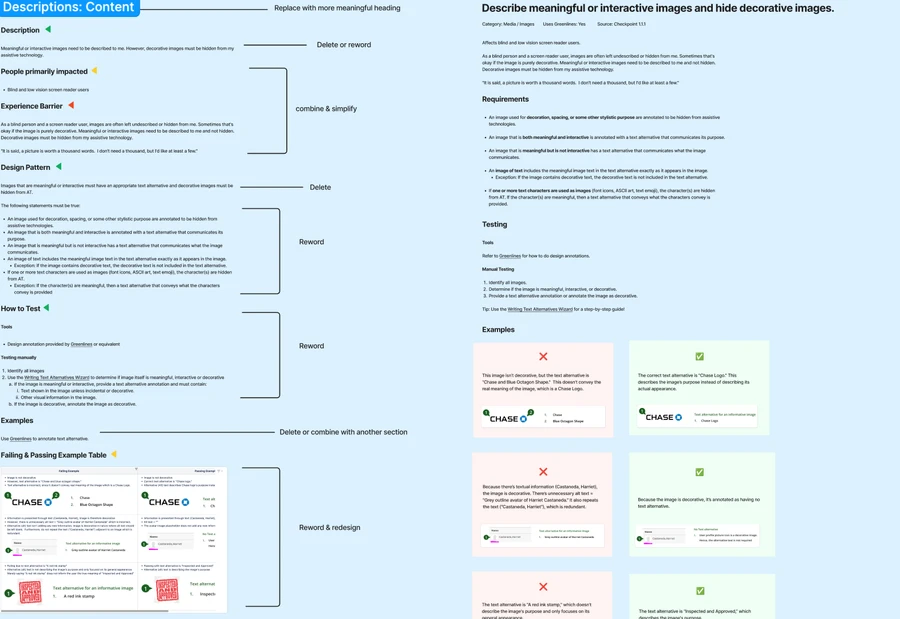
Lastly, I broke checkpoint descriptions down so that I could annotate them piece-by-piece, discarding and rewording sections.
Software development
Throughout my project, I engaged in numerous discussions with developers on my team to define any constraints or guardrails. They also provided crucial feedback on the viability of certain features, which helped me in preparing my design for development.
DELIVER
Before
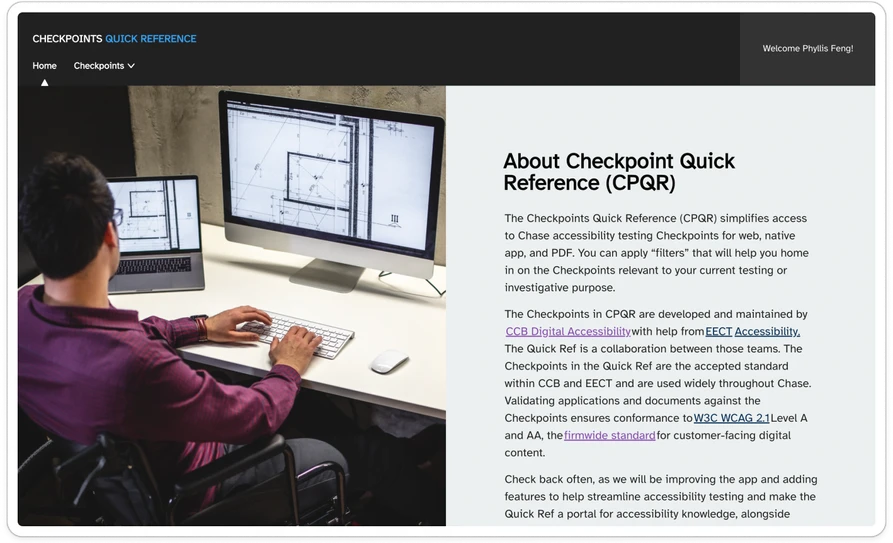
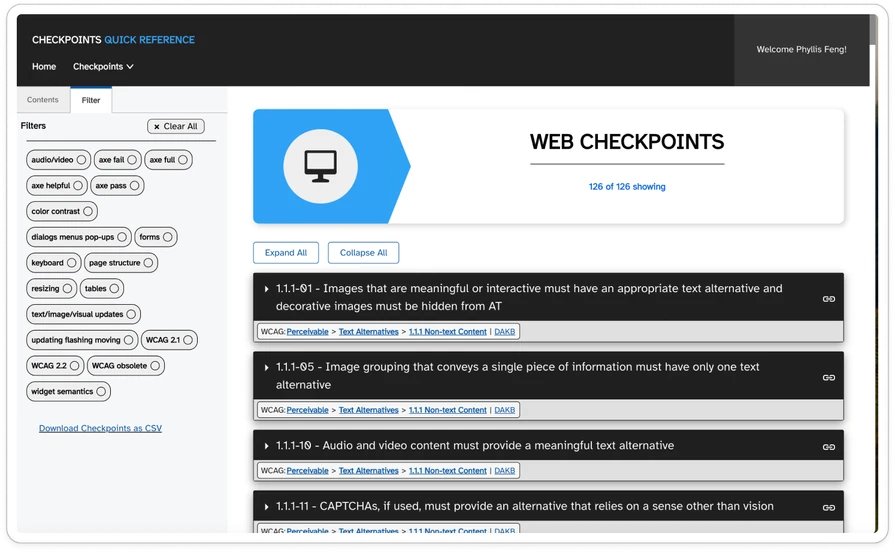
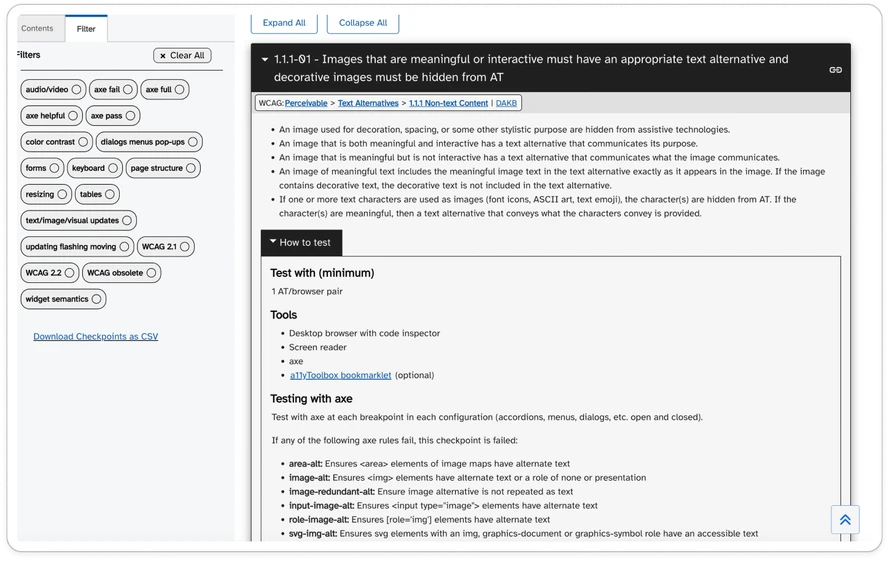
After
Reimagination:
Refinement
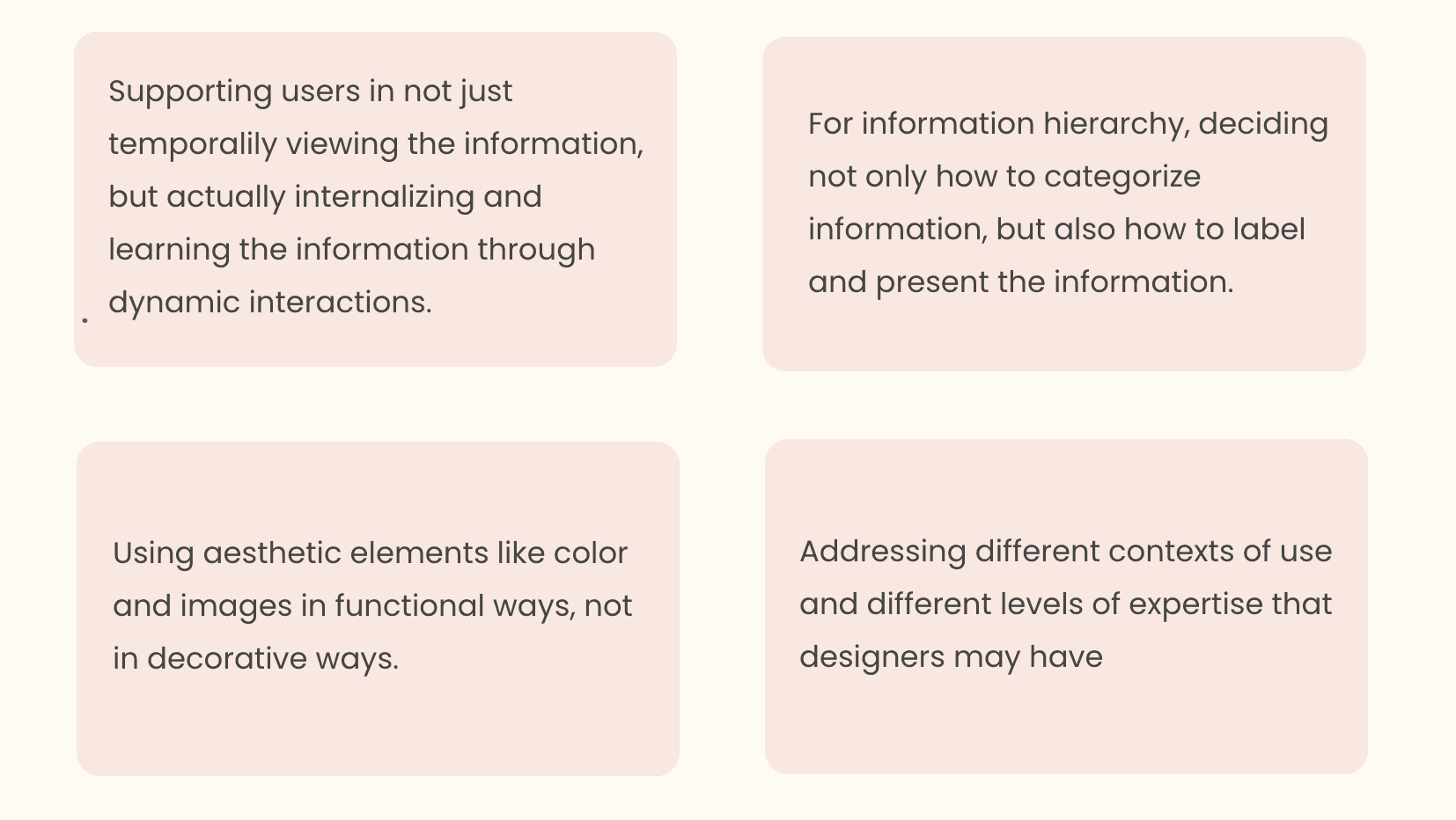
Additional design considerations
CHALLENGES
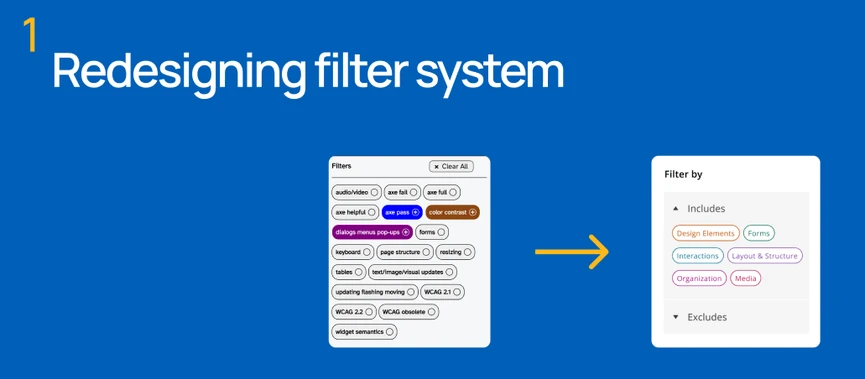
The previous version had tri-state filters, which were extremely difficult for users to understand because of how novel it was. During my design phase, I kept getting stuck in a certain mindset of viewing the filters as this component that had to have three visual states. I had to separate functionality from its visual appearance — focus on what it actually did and not how it worked. I ended up with an entirely different filter design that still achieved the same function but was a lot more intuitive.
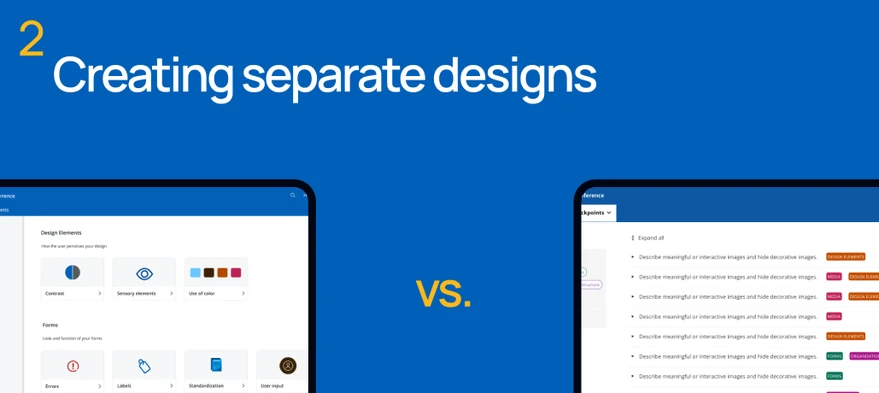
I’m very much used to working on a single design for a single problem in coursework, so it was challenging to switch modes mentally between two different designs for the same problem, especially two different design systems. However, each design had a different strategy, a different perspective, and would honestly appeal to different people!
REFLECTION
Takeaways
Moving Forward
Greenlines are accessibility design specs at JPMorgan Chase. They are essential to making sure designers and developers are on the same page! After adding Greenlines, I would formally assess my designs with my team as we decide what ideas to implement.
Contact me
phyllis.feng2003@gmail.com
Work
Other projects
About