Design for America
Refreshing the research space at Carnegie Mellon
BACKGROUND
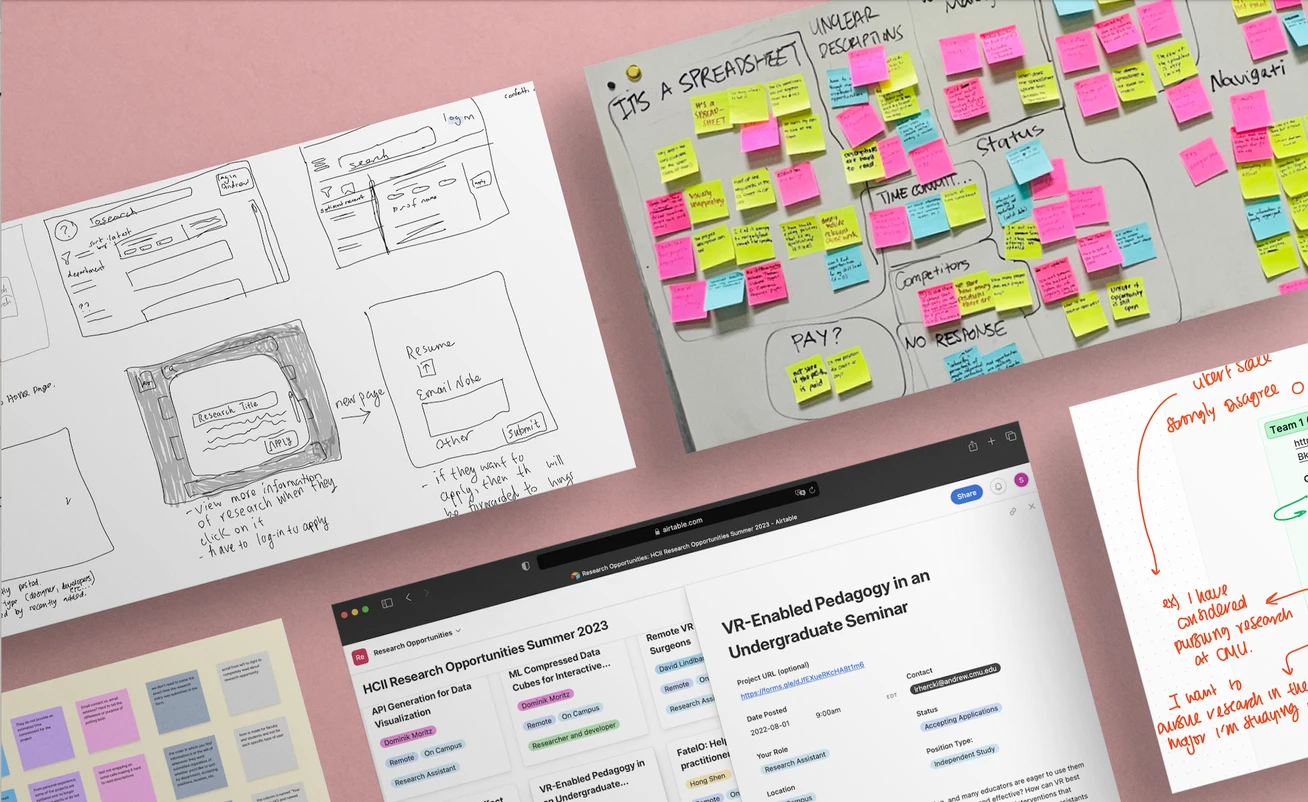
As a research university, many undergraduate students are interested in the research space at Carnegie Mellon University, which spans many disciplines — from computer science to engineering to psychology. Currently, research projects are posted on Google Sheets, which students use to browse for opportunities and reach out to the project leads. We analyzed the current system of how students find research, identified the weak spots, and developed a more sustainable solution to connect students with research opportunities.
MY ROLE
As a UX researcher on this project, I conducted user interviews and insight gathering. I participated in the collection and evaluation of these insights into fueling design solutions. I took on roles structuring our team ideation sessions and steering our progress towards our end goal.
Timeline
Fall 2022 — Spring 2023
Team
Sherry Chen
Yuki Chen
Crystal Chen
Emily Jiang
Thien Le
Jack Lenga
Stephanie Liu
Deliverables
Heuristic Evaluation
Competitive Analysis
Market Research
Affinity Diagramming
Think Aloud Studies
Sketching
Tools
FigJam
Figma
Airtable
IDENTIFY
We first established our initial knowledge and assumptions, defined potential problem spaces to tackle in our research, and compiled a list of relevant stakeholders we could reach out to.
As students ourselves, we came into this project with our own experiences regarding the research system. After spending some time revisiting the research spreadsheets, we individually listed out our own observations and reactions to them. Then, we collectively reviewed our heuristic evaluations to get a sense of potential problem scopes.
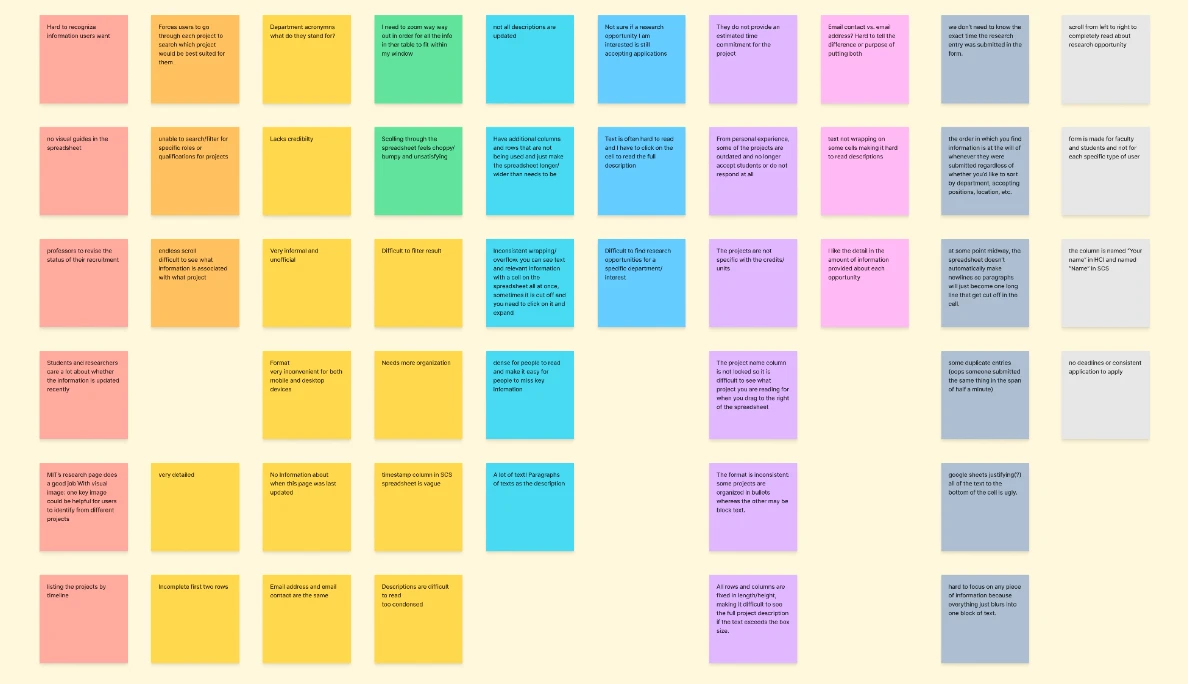
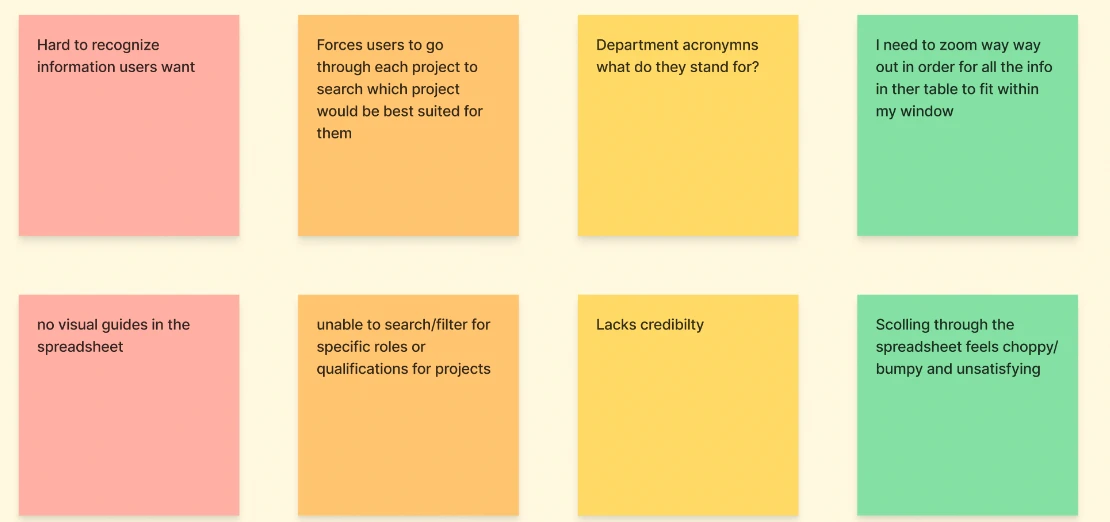
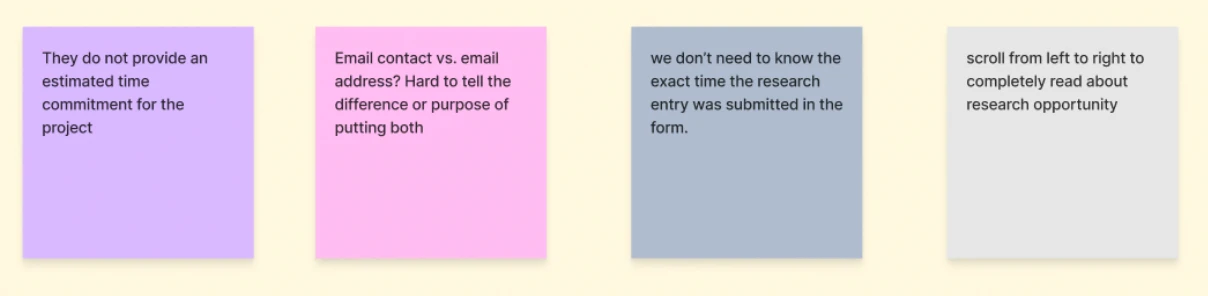
After sharing them with each other, we came to some conclusions about the weaknesses of the spreadsheet system and where our focus may lie during this project.
Potential Weaknesses
1. Spreadsheet felt frustrating navigate.
2. Information seemed inconsistent, confusing, and unreliable.
3. No guidance available to help students find opportunities.
4. Lack of clarity on how to actually participate.
Potential Problem Spaces
1. Accessibility
2. Visual Design
3. Navigability
4. Accuracy of Information
Moving forward, our primary stakeholder was the student body population. We compiled a diverse list of those we could connect with, spanning across different years and majors, in order to gain a well-rounded understanding of their needs.
IMMERSE
We conducted think aloud studies with students from our list to further understand these potential problem spaces. We only included those who were interested in research, but who had or had never seen the spreadsheets.
We also designed a protocol to ensure unbiased results: Our experiment was divided into background questions; first impressions and gut reactions to the spreadsheets; tasks navigating the spreadsheet; and, finally, reflections on their experience using the spreadsheet.
First impressions were defined by the visual experience and largely negative ("Boring," "unprofessional," "overwhelming, "confusing," "redundant," "unorganized").
Tasks Performance
To assess the overall experience of our users, we scored how they performed on identifying research opportunities, evaluating them, and deciding on next steps.
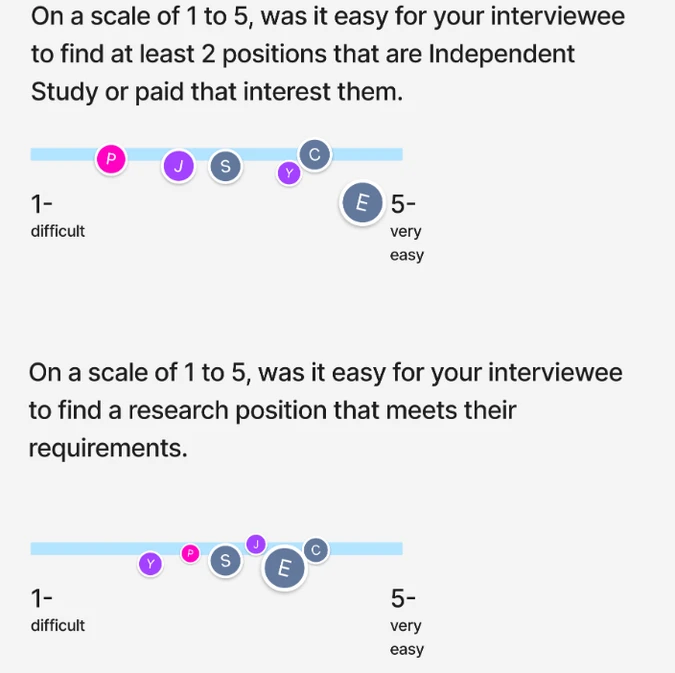
The ease with which users found research opportunities that met a certain criteria was inconsistent, ranging from more difficult to very easy, averaging out at a neutral, uncertain experience. Difficulty was judged based on a variety of factors through face-to-face interactions: how long they took to find them, whether they vocalized any difficulties, their behavior of scrolling (erratic vs. purposeful).
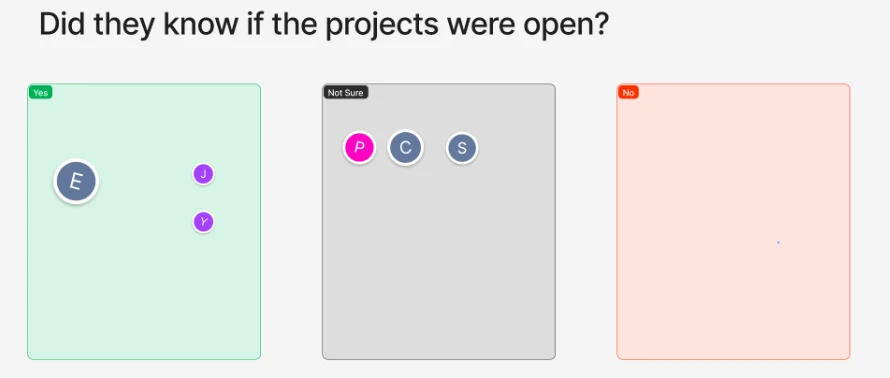
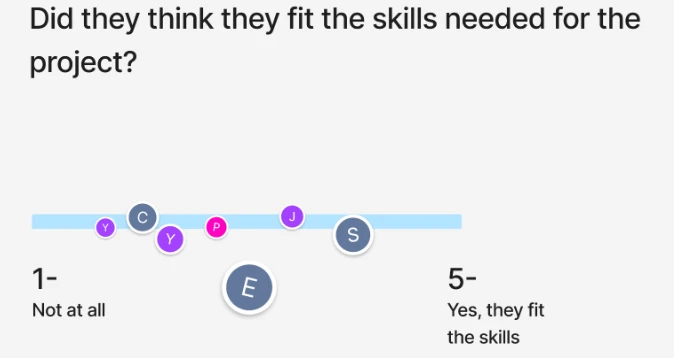
Likewise, users exhibited inconsistent levels of confidence in regards to their chosen research opportunities. Some of them assumed they were open, some of them weren’t sure; none of them assumed they were closed. Some felt unqualified for the project, and some felt more qualified.
No one, however, knew decidedly if they fit the skills needed or not.
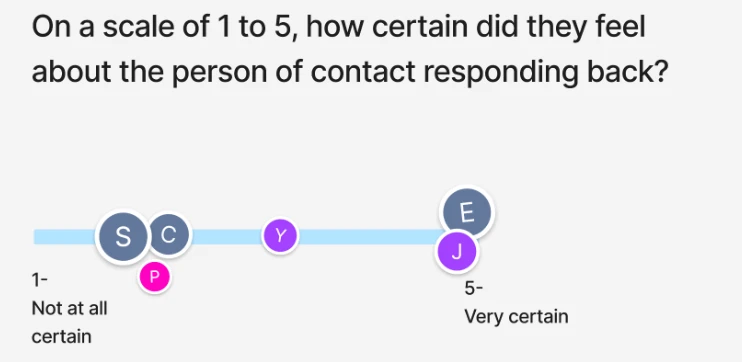
For next steps they would take, most users reported emailing, but there was still uncertainty and variation.
Some users said they would email the professor, some said they would email the person-of-contact listed (which was often times different than the professor), and still others said that they would email the department head. Moreover, there was uncertainty in how to phrase the email, and potential documents to include, such as resume or portfolio.
There was also an inconsistent level of surety in whether people thought this strategy worked at all.
In the event it didn’t work, users reported that they would simply continue checking these spreadsheets regularly, cold-emailing people, and “hoping” for the best.
Conclusions
Their difficulties had mainly to do with the type of information given or not given. Uncertainty about the accuracy and truthfulness of information in the spreadsheets caused inconsistent reactions.
However, specific navigability, accessibility, and visual issues compounded on the untrustworthiness of the information.
Common issues mentioned included:
1. Inconvenient and inaccessible usage of CMD + F to filter;
2. Missing logistical information regarding location, payment, etc;
3. Inconsistent spacing;
4. Inconsistent cell sizes;
5. Inability to see text that extend beyond cell boundaries;
6. Bland appearance.
Surprisingly, there were some important positives.
1. There was a lot of information about the background, motivations, and ultimate aims of each project.
2. All the opportunities were presented on a single page, creating a no-frills, simple information architecture for users.
3. Google Sheets is a familiar, well-documented system.
It had an easy learning curve — but that didn't make it enjoyable or efficient.
The problematic provision and displaying of information combined with a lack of features supporting students in their searches. As a result, finding a research opportunity seemed to be an unstandardized experience based on luck and blind guessing on the students’ part, as indicated by the uncertainty in their responses.
REFRAME
Based on our insights from these think aloud studies, we decided on four design goals to guide our solution.
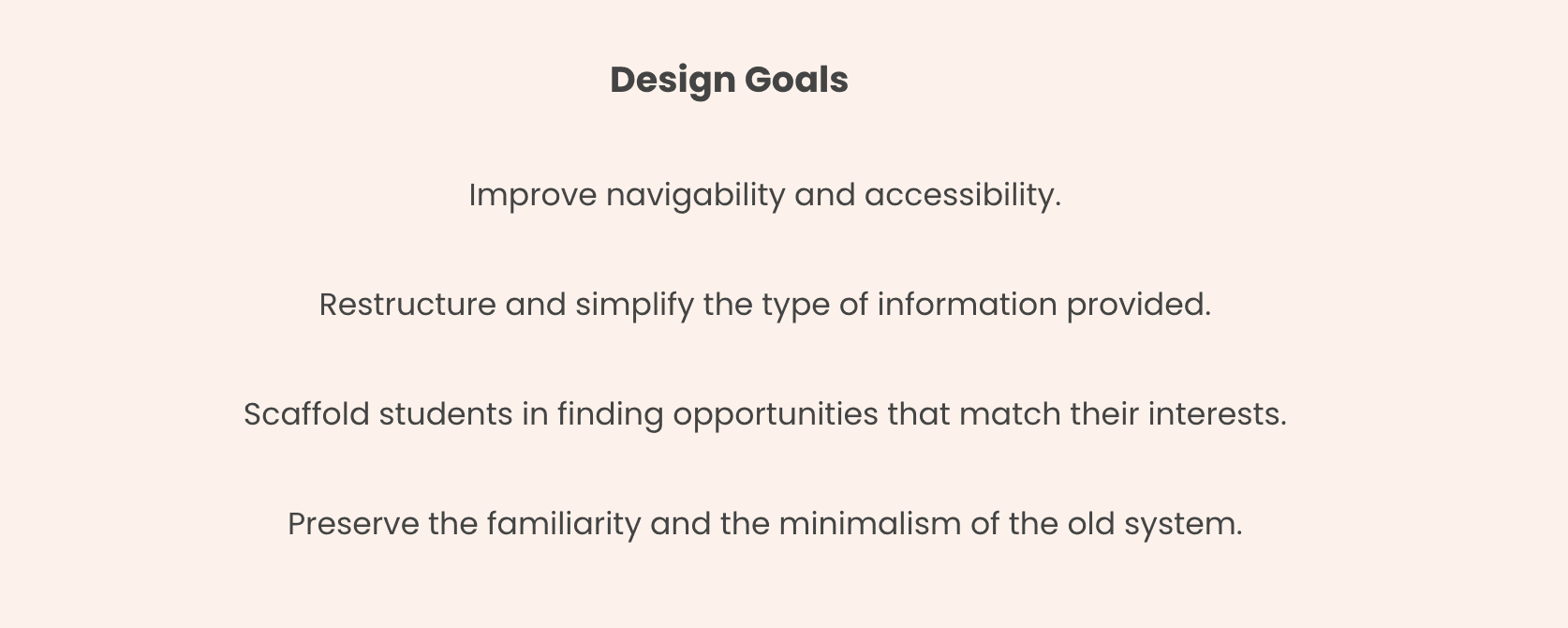
At the beginning of the project, we had assumed we would be designing a solution radically different from the current one. However, users indicated that this would harm the familiarity, intuitiveness, and easy learning curve associated with the Google Sheets system. We now switched gears to an approach that focused on enhancing the strengths of the current one and addressing its weaknesses
EARLY DESIGN
During brainstorming sessions, we mapped out the user flow of a student seeking research to situate ourselves.
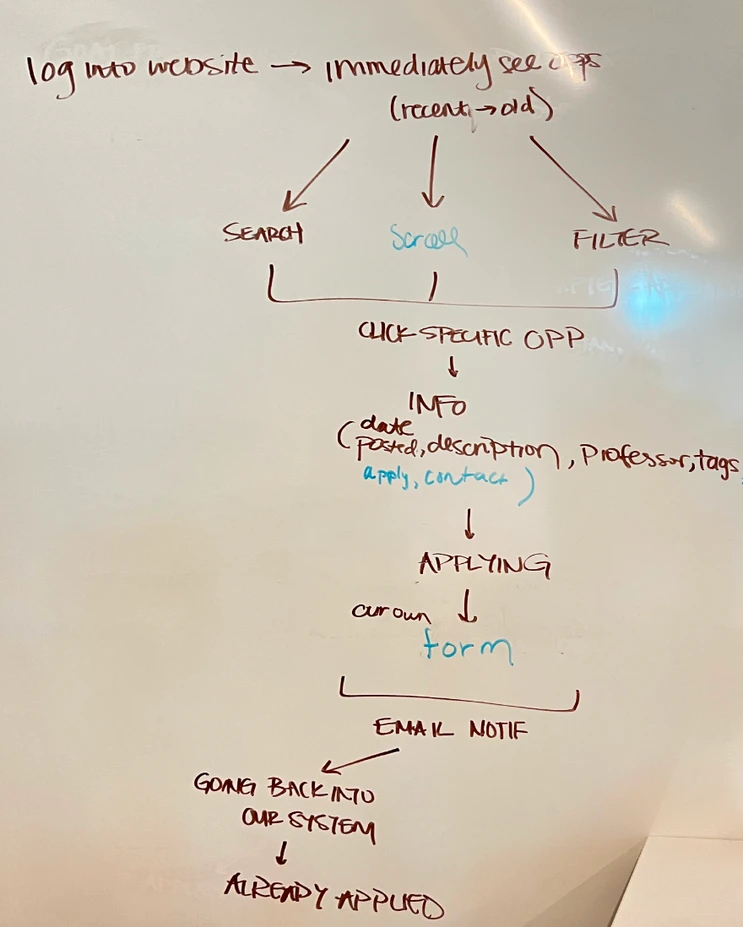
We decided to narrow our focus on the beginning of the user journey, from logging in to applying, since the application process was outside of our scope of connecting students with research opportunities.
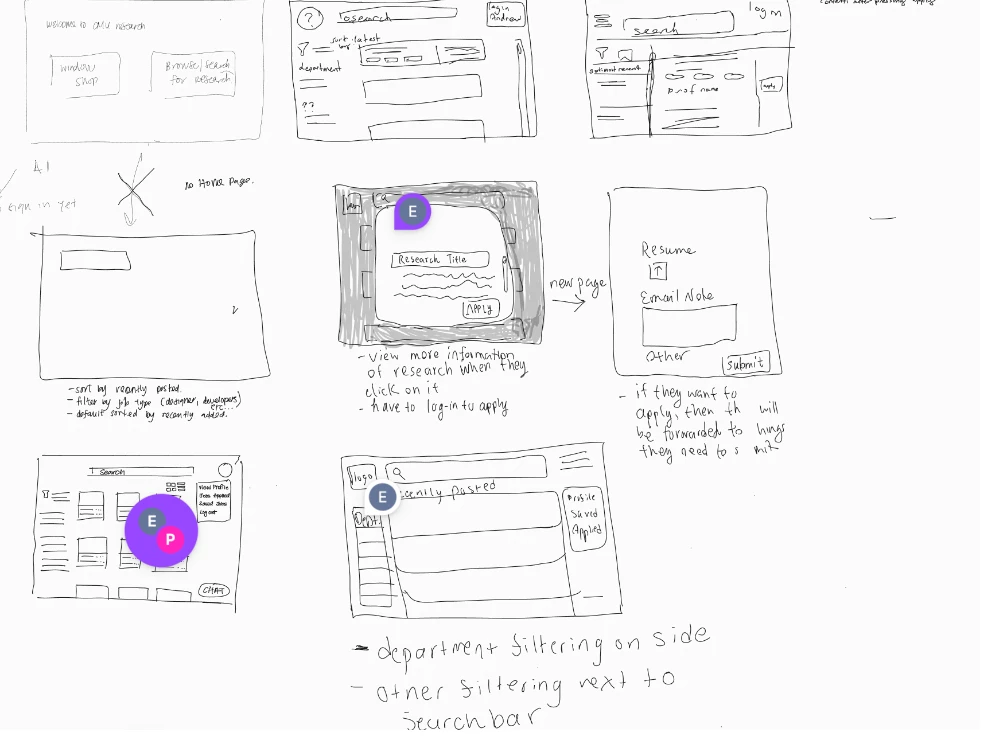
As we sketched out various wireframes, commonalities emerged. Since our project was centered on organizing and displaying large amounts of data, the design was reminiscent of database applications.
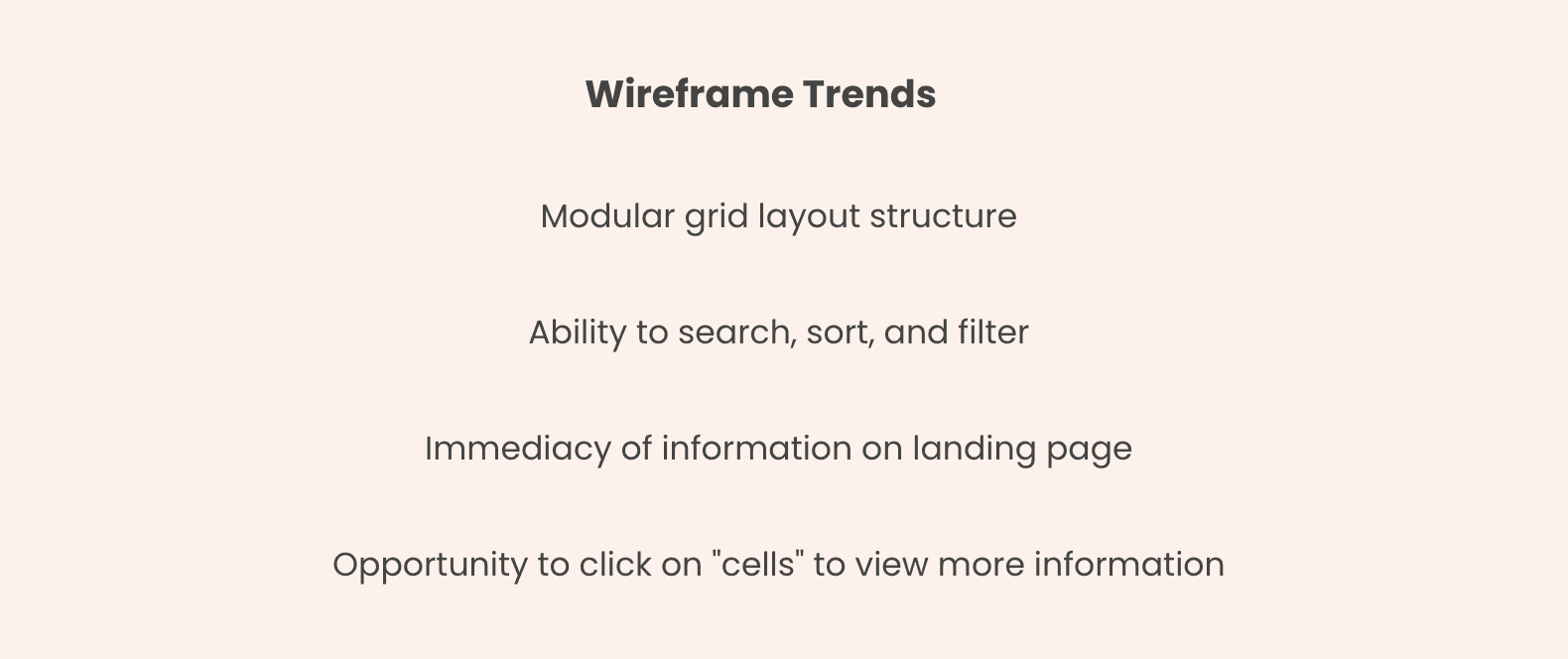
We wanted the platform to be simple, like the current spreadsheet system, but also welcoming and encouraging, which the current system wasn't. We wanted to scaffold students in their pursuit of research through specific features and through branding.
SOLUTION
An important consideration when it came to our solution was implementation. We needed to create something that could be quickly deployed to the CMU population, since the research sphere was only becoming more rigorous and the spreadsheet system was becoming harder to maintain. Moreover, we needed to be able to deliver it rapidly so that we could view it in action and identify necessary changes.
There was no designated entity, no software engineering team, working on the research system at CMU in an official capacity. The Google spreadsheet was monitored by administrators across different colleges, but it wasn’t their main concern. As a result of this lack of manpower, there was no guarantee that an original platform could be developed at all.
Therefore, we decided on using Airtable — a platform specifically designed for transforming spreadsheet data into a more user-friendly, accessible, and navigable experience. We were able to import the data from Google spreadsheets into Airtable and customize the design.
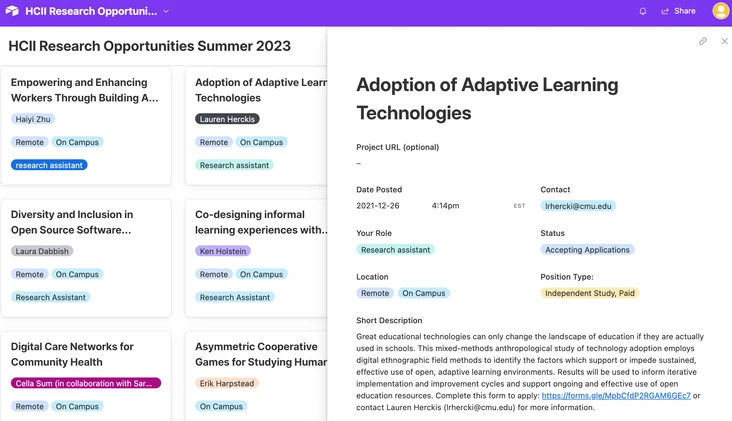
Improved navigability and accessibility.
We eliminated the need for horizontal scrolling to view information. Students can easily and swiftly peruse the opportunities. When they click on one, a sidebar reveals more information about an opportunity, and they can quickly click out to continue browsing.
Restructured and simplified information.
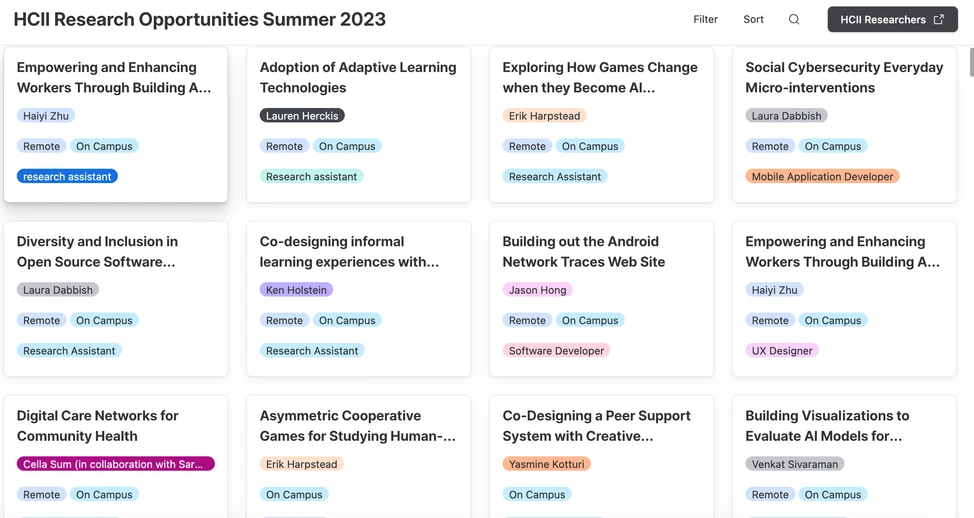
We eliminated redundant information and standardized the tags to provide key information, like leading professor and whether it was remote or not. At a glance, only the most relevant information is provided.
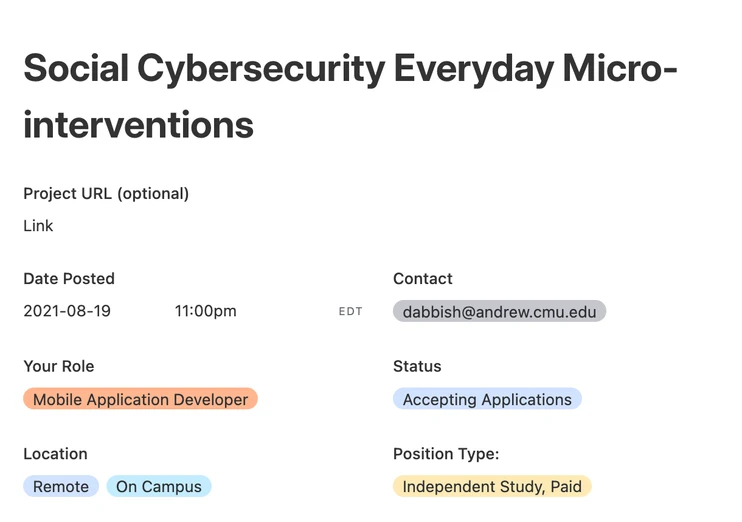
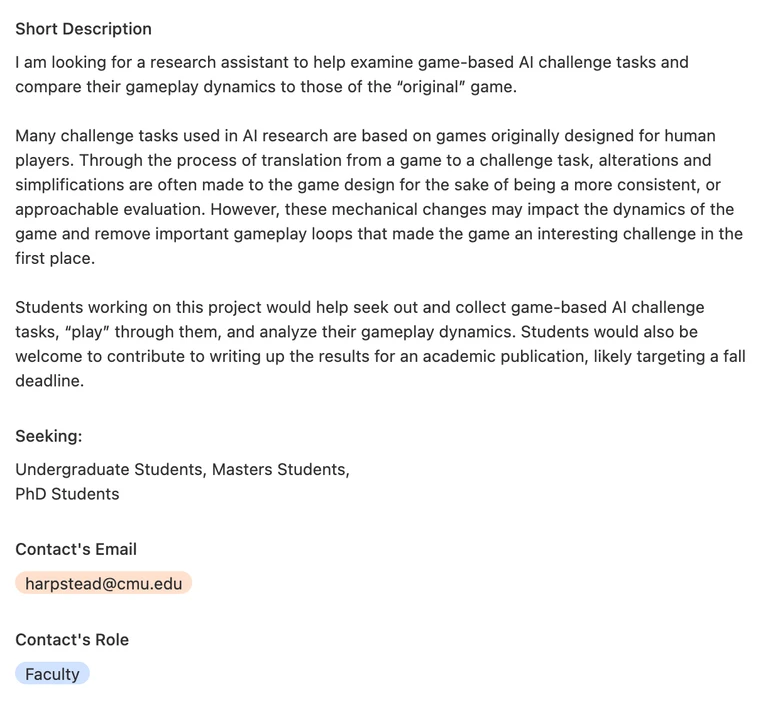
Scaffold students in finding opportunities that interest them.
We provided the ability to search, filter, and sort the opportunities. Contact information is clearly stated so that students know who to reach out to. Project descriptions are organized by headings and relevancy.
Preserved the familiarity and the minimalism of the old system.
With a simple typeface, plenty of white space, and rounded edges, the platform feels clean and comfortable. However, pops of color keep it vibrant and fresh, and the card-based structure elevates readability.
REFLECTION
Takeaways
At the beginning, we assumed that other users would feel as negatively about the current system as we, as designers, did. However, while our studies did confirm many of our suspicions, they also revealed new insights about what was working with the system that we did not anticipate. As a result, we ended up pivoting our design direction entirely. While it’s important to make your own assessments about a product, it’s equally important to acknowledge that non-design perspectives are just as meaningful.
Throughout the project, we continually weighed pros-and-cons and sacrificed peripheral needs in favor of more central ones. For example, when choosing between a homegrown platform or a platform provided by a third party like Airtable, we recognized the benefits of a homegrown platform: It would allow us to fully decide on every feature and make changes as necessary. However, it would also cost time, money, and manpower, which we did not have. Design is rarely a perfect endeavor, and oftentimes it is necessary to prioritize when you are working within time and resource constraints.
Moving Forward
Our project covered the early stages of the research seeking process. Once students identify a research opportunity, however, they have to apply. Currently, the process is informal — students simply reach out to the person of contact and discussions start there. With more time and resources, we could investigate later stages of the research seeking process such as application, onboarding, and offboarding.
Contact me
phyllis.feng2003@gmail.com
Work
Other projects
About